Hold a problem the agent cannot solve until your team can, with a number, an honest reply time and a page where the customer can check
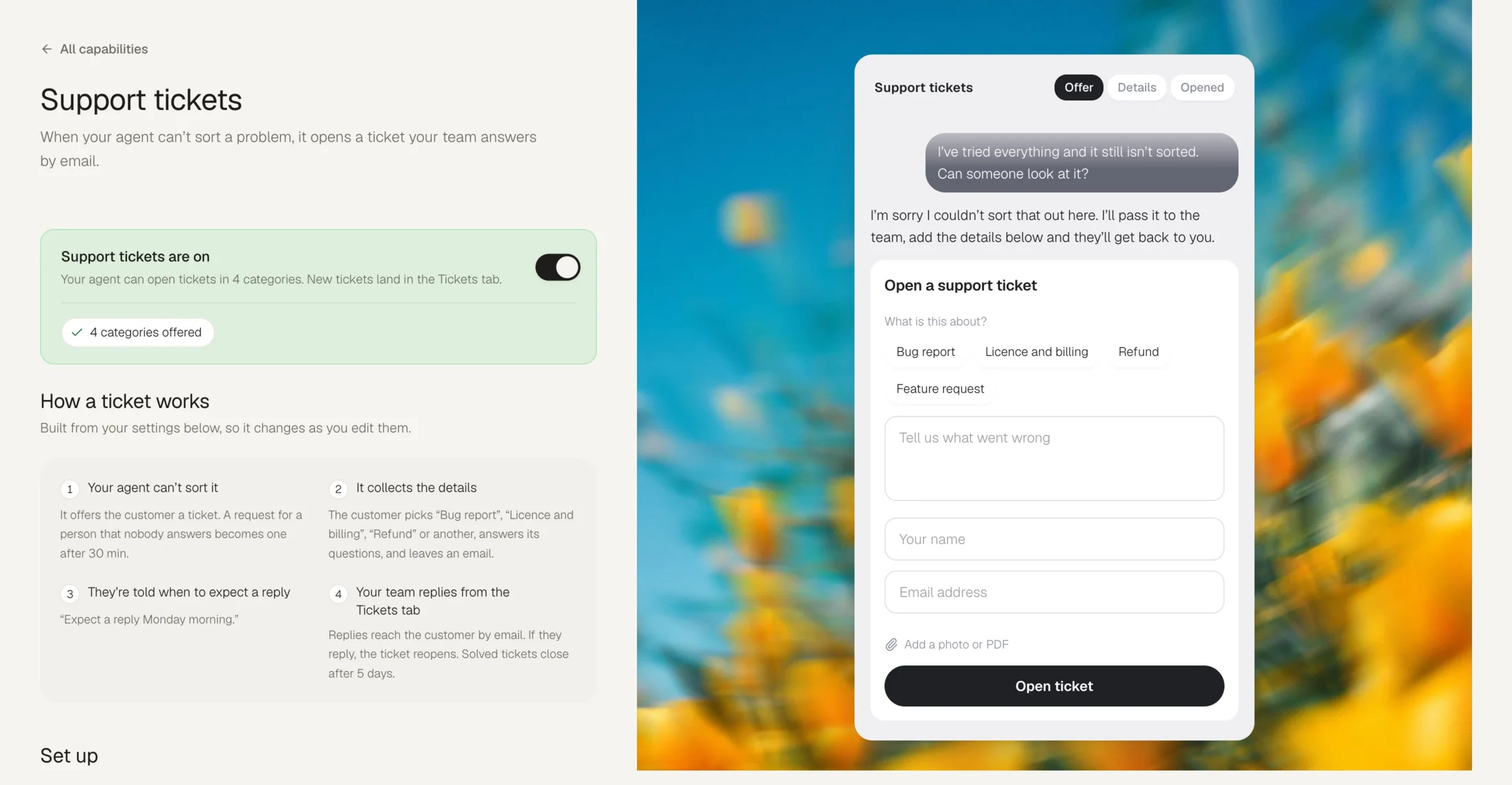
Tickets is for problems that need a person and cannot wait for one: a refund, a damaged order, a complaint, a billing question. The agent collects what your team will need, the customer gets a number and a reply time that is true against your opening hours, and your team works it later from one list.
It is a different tool from Human handoff, which pages a person who is online now. Both can be on at once: if someone can take the chat, the agent offers that; if nobody can, it opens a ticket instead. A handoff nobody takes becomes a ticket on its own.
Open Capabilities, then Tickets. Tickets is on Growth and up.
What a ticket is
A record of one problem, with a number the customer can quote. Numbers are per workspace, so #1042 means one thing across your whole business.
| State | What it means |
|---|---|
| New | Nobody on your team has replied yet. |
| Open | Being worked on. |
| Waiting on them | You asked the customer something and are waiting on them. |
| Solved | Answered. A reply from the customer reopens it. |
| Closed | Finished with. |
Setting it up
Add a category
A category is a kind of problem (Refund, Damaged or wrong item, Billing question) and carries the fields your team needs before they can act: an order number, a photo. The card asks for them before the ticket opens, so a ticket never arrives with the obvious question unanswered. New agents are seeded with categories that suit their business; edit them freely. At least one is required.
Set opening hours
Optional. Hours are used for one thing: telling the customer when to expect a reply. Leave them empty and Tickets uses your handoff availability. With no hours anywhere, the customer is told the team will reply as soon as they can; the agent never names a time you have not set.
Choose auto-close
A solved ticket closes itself after a few days. A customer reply in the meantime reopens it and cancels the close. Set it to 0 to never close automatically.
The reply time is a promise about your working hours, not a countdown. A ticket opened at six on a Friday evening says "Monday morning", not "in 63 hours".
What the customer gets
A number straight away, on the card and in an email. Every email carries a link that works with no login, where they can read what has happened, write back, rate the answer or say they no longer need it. They get three emails and no more: we've got it, the team replied, it's solved.
When the team replies, the reply also appears in the customer's web chat, labelled with the ticket number, and they can answer there.
What your team gets
A Tickets section in the Inbox, under Chats and AI agent: All tickets, Unassigned and My open, with By status for each state. They show as a list or a table, with filters and search over names, addresses and numbers. Opening one shows the thread, any attachments and a composer with two modes. Reply goes to the customer by email, with attachments and your saved replies. Internal note never leaves your team. The Ticket info panel beside it sets status, priority, teammate and category.
The first person to reply to an unassigned ticket takes it. Draft with AI writes a reply from your knowledge and puts it in the composer without sending; where it would need a fact nobody gave it, it writes [PLACEHOLDER]. New tickets arrive sorted with a summary, a category, a priority and a read on how the customer sounds, none of which overrules a person's choice.
When you solve one, the Inbox asks whether your agent should answer it next time. Say yes and the answer joins its knowledge, so the same question stops becoming a ticket.