Ecommerce support has a known shape. Anyone who runs a store can recite it: where is my order, does this fit, how do returns work, is this in stock, do you have a discount code. Five questions, rephrased a thousand ways. An ecommerce chatbot that handles those five properly earns its keep every day. One that answers them with links to policy pages is decoration, and customers treat it accordingly.
I set up support bots for online stores every week, and this guide is the checklist I wish more store owners had before buying anything: what each of the five questions actually requires, which integrations are real, what peak season does to different pricing models, and how to tell whether any of it is working.
Order status: the question that decides everything
"Where is my order" is the volume king. The week after any promotion it takes over the inbox: every message urgent, every answer identical in shape. Support teams call it WISMO, and it is the single best test of whether an ecommerce bot is real. People ask because the money has left their account and the parcel has not. WISMO is anxiety, and anxiety wants specifics: a date, a carrier, a link.
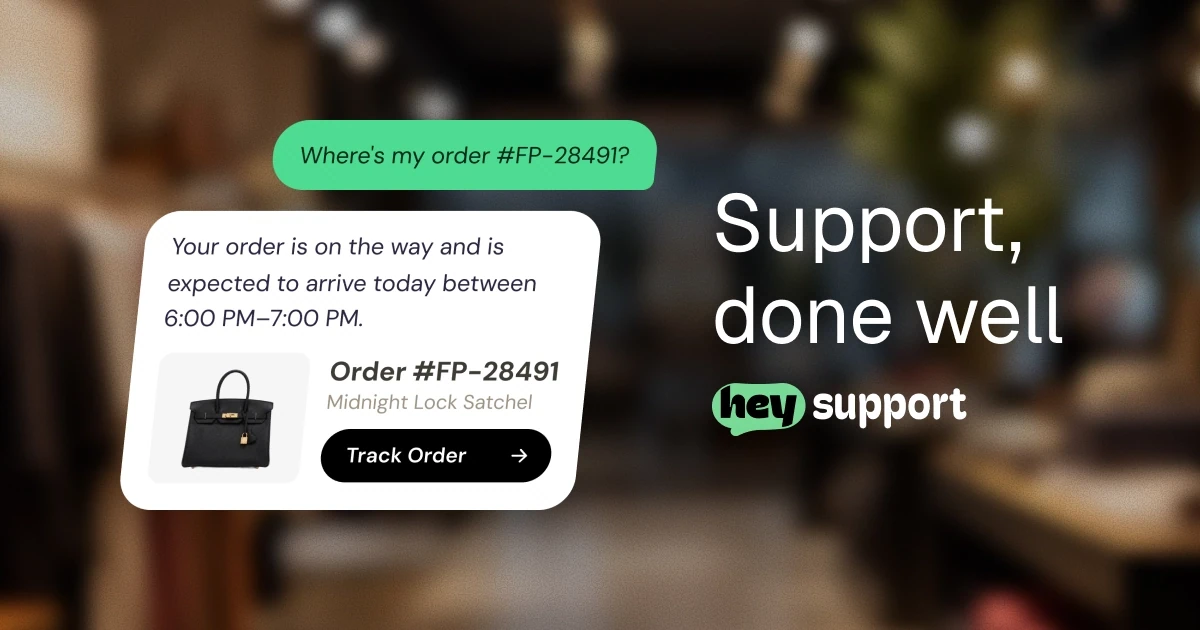
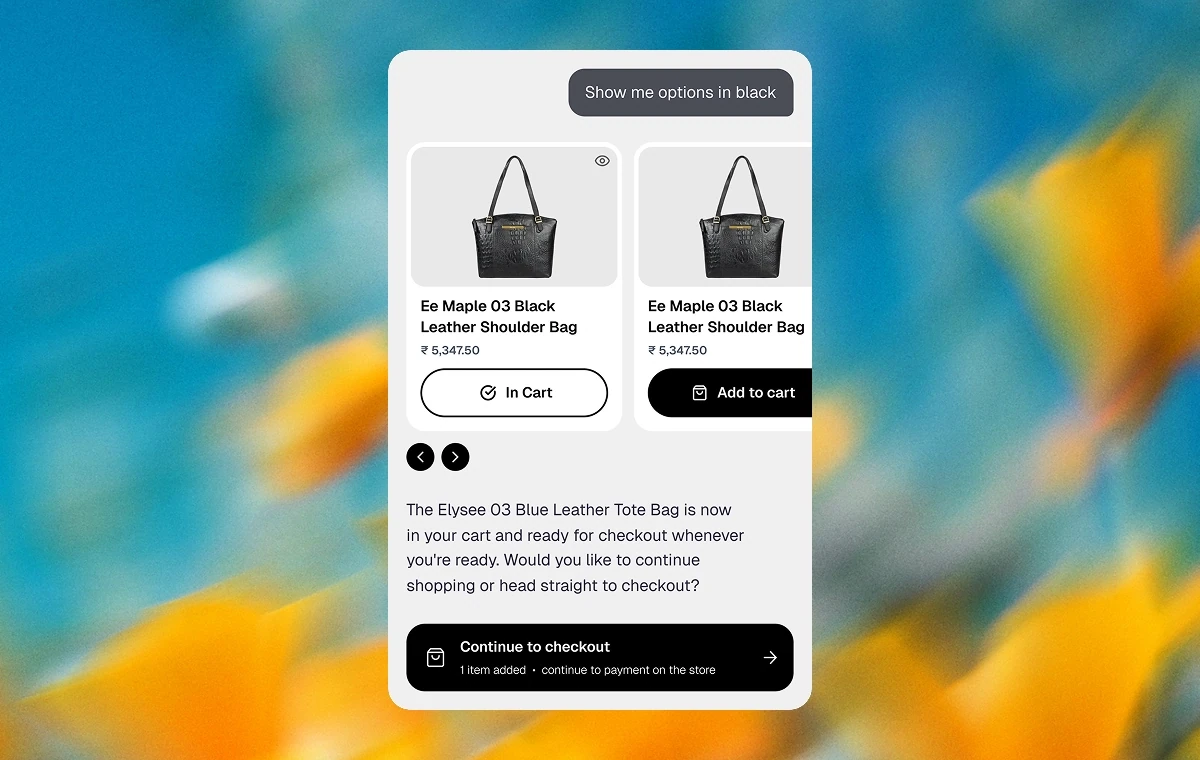
Run the test yourself. A customer types "where's my order?" A decoration bot replies with your shipping policy ("orders typically ship within 2 business days") and a link. The customer already read that page; that is why they are in the chat. A real bot asks for the order number or email, checks it against your store, and answers the question that was asked: order 4183 shipped yesterday, here is the tracking link, estimated delivery Thursday.
That difference requires an integration with Shopify or WooCommerce that can read orders, and it requires basic verification: the email or order number has to match the order before anything is shown. Keep what the bot reveals narrow. Status, carrier, tracking link. Not the full delivery address, not payment details. And when the lookup fails or the details do not match, the bot should say so plainly and hand off to a person rather than guessing at a status, because a guessed delivery date is worse than no answer.
One boundary worth drawing inside WISMO itself: the bot can report a status, and it cannot fix a delivery. Lost parcels, packages marked delivered that never arrived, customs holds. Those need a human with access to the carrier portal and the authority to reship or refund, so write the handoff rule now: delivery exceptions always route to a person, with the order details already attached to the thread.
Get WISMO right and you have automated the biggest, most boring slice of store support, the one that buries your inbox the week you most want to be doing anything else. Get it wrong and nothing else in this guide will matter to your customers.
Before the purchase: questions that become revenue
Pre-purchase questions are smaller in volume and larger in consequence, because the person asking has a cart open and doubt in hand.
Product questions come first: materials, compatibility, care instructions, the difference between two similar models. A bot grounded in your catalog and product pages answers these from your actual content and cites where each answer came from. Grounding matters more here than anywhere, because a bot that invents a product spec creates a return, and a bot that recommends a product you do not sell creates a genuinely strange conversation. Recommendations should come from the live catalog or not at all. Comparison questions ("which of these two runs warmer") work when both product pages are indexed and actually contain the answer. When they do not, a grounded bot says so, which is the correct outcome for everyone.
Sizing is its own case. Most sizing questions die on one detail: the size chart is an image, and image-only charts are invisible to a bot that reads text. Put your charts on a crawlable page as real text, or upload them as a document the bot can index. Then "will the medium fit me?" gets answered from your actual chart, in centimeters and inches, instead of generic fit advice that could apply to any garment ever made.
Stock and shipping questions round out the set, and shipping is where the revenue argument lives. Cart hesitation usually comes down to shipping cost, delivery time, or return terms, and it peaks at 11pm when nobody is answering email. A bot that resolves "what does shipping to Portugal cost" or "can I return this if the fit is wrong" at that exact moment is doing sales work, whatever your org chart says. For stores selling high-consideration products, this is also where polite lead capture fits: answer the question first, then offer to follow up. There is a whole pattern to doing that without being irritating, covered in lead generation chatbots.
If you sell across borders, language is part of pre-purchase whether you planned for it or not. A shopper who asks about sizing in German should get the size chart answer in German. Modern bots detect the visitor's language and reply in it; confirm yours does, because international carts are the ones carrying the most doubt.
After the purchase: returns, changes, and discounts
Post-purchase is where the stakes rise, because here the bot's statements read as commitments from your store.
Returns are the manageable case as long as the bot is grounded. The answer must quote your actual policy, with its actual window, and cite the page it came from. "Returns within 30 days" said in chat is a promise your team will keep, so it had better come from the policy and only the policy. If your return rules differ by category (final-sale items, underwear, custom orders), those exceptions belong in the indexed content too, or the bot will state the general rule to someone holding an exception.
A useful side effect of setting this up: it forces the policy cleanup you have been postponing. One canonical returns page, real dates instead of vague windows, exceptions listed. The bot answers better, and so does everyone else.
Address changes are the template I recommend for anything that modifies an order: the bot collects the request and the new details, and a human approves before anything is written to the store. An approval gate costs the customer a few minutes and saves you from the day someone talks a bot into redirecting a package.
Discount codes deserve the same suspicion. A bot that can issue codes will be asked for codes constantly, and some of the askers are creative. The guardrails that work: single-use codes only, a cap on the discount, and human approval above a threshold. People will absolutely try to negotiate with it. With guardrails, those transcripts stay funny instead of becoming expensive.
And a short list I never let a store bot touch: payment disputes and chargebacks (bank processes with deadlines and legal weight), damaged-item claims that need photos and judgment, and anyone who is already angry. The bot's job with those is to recognize them fast, collect the details, and get out of the way.
Integrations that matter (and what integration should mean)
For a store, two integrations do most of the work: Shopify or WooCommerce, whichever runs your checkout. But the word "integration" is doing shady work across this industry, so apply a test before you believe it.
An integration should mean actions. The bot can look up an order, check the catalog, create a guarded discount code, save a lead into the CRM. Reads and writes against real systems. What the word often means instead is a logo on a marketing page and an embed snippet that pastes into your theme, which is installation, not integration.
The test is simple: during your trial, connect the store and run a real order lookup end to end. Ask for a real order by number, and check the bot's answer against your admin. If the vendor's integration cannot do that, you have learned what the logo meant. Hey Support's store integrations are actions (order lookup, product recommendations from the live catalog, and discount codes with approval gates for Shopify; order lookup for WooCommerce), and the current list lives on the integrations page.
Everything else routes around your team's habits rather than the store: a shared inbox or Slack for handoffs, a CRM or email tool if you capture leads. Useful, but secondary. Connect the store first.
Channels deserve the same honest check. If your customers live in a messaging app, ask which channels are live today and which are on a roadmap slide, because those are different purchases. For ours: the web widget and Telegram are live, WhatsApp is live with our team connecting it for you while it rolls out, and Messenger and Instagram are next.
The peak season math
Now the part store owners feel in the invoice.
Support volume tracks traffic, and store traffic spikes. Say your store normally sees 2,000 conversations a month and the bot resolves 70 percent of them. Under per-resolution pricing at $0.99 per resolved conversation (that is Intercom Fin's public price, and Zendesk and others price AI the same way), a normal month runs about $1,386. Illustrative numbers, so run your own, but the shape survives any inputs.
Then November arrives. Suppose Black Friday week alone triples your daily volume and the month lands at 5,000 conversations. At the same resolution rate that is 3,500 resolutions, about $3,465. Your best revenue weekend of the year produces your biggest support bill of the year, and the meter runs hottest exactly when the bot is doing its best work. Some teams respond by steering customers away from the bot during peak season to control spend, which is the tail wagging the dog. The full argument against this pricing model is in the per-resolution pricing trap.
Flat conversation pools behave differently. A plan sized for 5,000 conversations costs the same in November as in March, so the spike becomes a capacity question (size for your peak, or step up a plan for the season) instead of an open-ended invoice. This is how our pricing works, and peak season is a large part of why we built it that way.
How do you size a pool without history? Count last month's support emails, add the questions that never got sent because email is a chore (a visible chat widget surfaces them), and pick the plan above that number. Then watch one normal month of the meter, which beats any estimate. Moving plans is a click, so the sizing decision stays boring, and boring is the point.
Cost aside, peak season changes the handoff load too. The bot absorbs the repetitive spike, but exceptions spike with it, and exceptions are human work. Decide in advance what your team drops during sale week, and write an after-hours message that promises a reply window you can actually keep. An honest "we reply within a day" beats a fake "we are online".
One more seasonal note from experience: set the bot up in October, not the week of the sale. It needs your holiday shipping cutoffs and extended return policy indexed before the traffic hits, and you want two quiet weeks of transcripts before the loud ones arrive.
A setup checklist for your store
The ten things I do for every store, roughly in order. Most take minutes, the testing takes an afternoon, and skipping them takes longer.
- Index your policy pages first: shipping, returns, sizing, FAQ. Review exactly what got indexed and cut anything stale before it goes live.
- Connect the store platform (Shopify or WooCommerce) so order lookup runs against real data.
- Test WISMO end to end: a real order number, a wrong order number, and an email that matches nothing. All three responses matter.
- Put size charts somewhere the bot can read them: crawlable text or an uploaded document, never image-only.
- Set topic boundaries: no payment disputes, no chargebacks, no promises outside policy. Route all of those to a person.
- Decide the discount policy up front: whether the bot can issue codes at all, single-use only, and the approval threshold.
- Wire handoff to where you actually work (shared inbox or Slack) and write the after-hours message: collect the email, promise a reply, keep the thread.
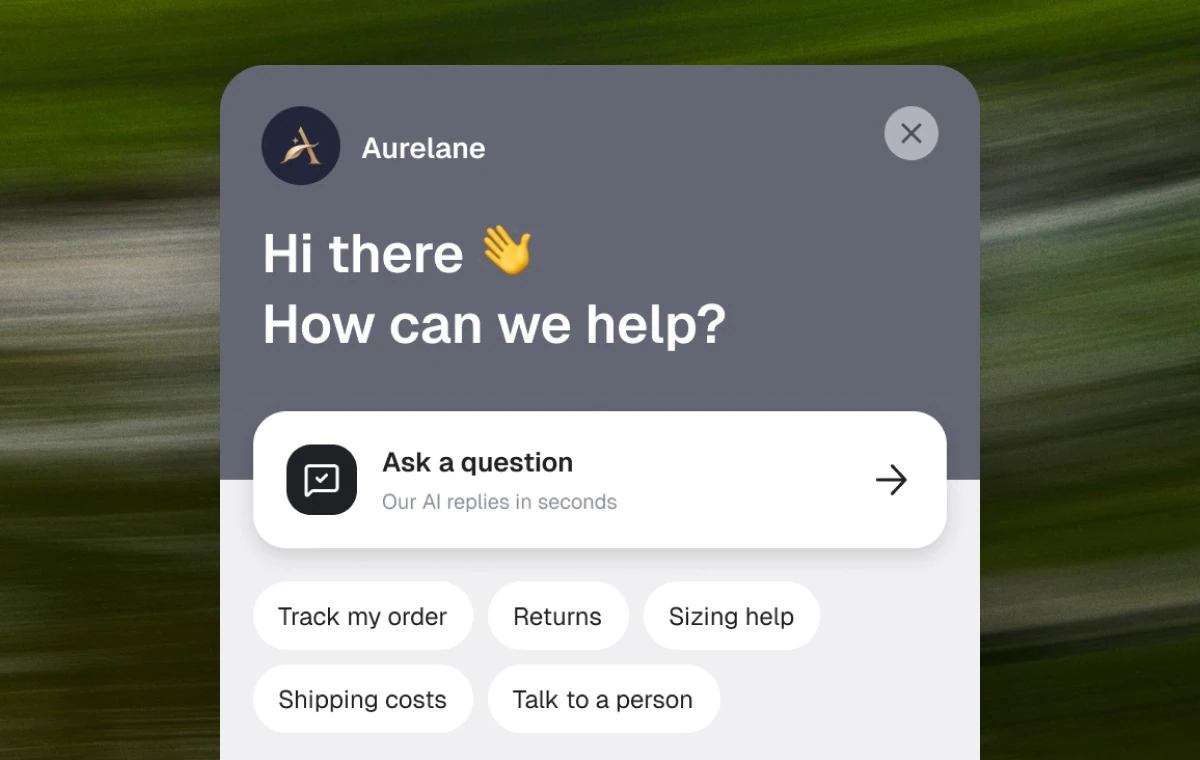
- Seed the welcome screen's quick questions with your real top five. If you do not know your top five, tag a week of tickets and find out; the exercise pays for itself either way.
- Test in a second language if you sell across borders. The answers should hold up as well as the greeting does.
- Put the weekly transcript review and the knowledge refresh on the calendar before launch, while the motivation is fresh.
Measuring what it does
Three numbers tell most of the story, and none of them is raw conversation count. Raw counts punish growth and reward silence, which is backwards twice.
Conversations per 100 orders is the volume-independent one. If it falls while orders grow, self-serve and the bot are absorbing the routine load. If it rises, something upstream broke: confusing checkout copy, a carrier delay, a product page missing an answer people keep needing.
Pre-purchase share tells you what kind of work the bot does: the portion of conversations happening before checkout versus after. Most stores install a bot for post-purchase support and then discover the pre-purchase share climbing, which is where the revenue conversation starts.
Assisted conversions deserve honesty. A visitor asks about shipping, gets an answer, buys, and your dashboard counts it. Read that as correlation, not gospel. Some of those people would have bought anyway. The trustworthy version of the metric is reading the transcripts where doubt visibly turned into a purchase and noticing which answers did the turning. Slower than a dashboard, and more real.
And watch resolution honestly: a conversation that ended without handoff either got helped or gave up, and only the transcript knows which. Spot-check a few every week rather than trusting the aggregate. More patterns for stores and other setups are on our use cases page.
The bar to clear
Back to the five questions from the top: where is my order, does this fit, how do returns work, is it in stock, is there a code. That is the bar. A bot that answers them with a live order status, your actual size chart, your actual policy, real stock, and guarded codes earns its keep every day of the year, November included. A bot that answers them with links is decoration, and your site already has plenty of links.
The whole evaluation takes an afternoon and settles arguments that meetings cannot. If you want to test the bar on your own store, connect it free and run the WISMO test before you decide anything.