Part of my job at Hey Support is setting up chatbots for customers, which means I spend a lot of hours reading transcripts of strangers talking to software. It is a humbling way to learn chatbot best practices. Rules that sound obvious in a planning doc fall apart the moment a real visitor types "wheres my stuff" at 11pm, and details that sound too small to matter turn out to decide whether the bot gets used at all.
These 17 rules come from that reading and from the setups behind it, not from theory. They are grouped in the order you will meet them: before you build, while you set it up, when you write, and once it is live. Each rule ends with a way to check you are actually doing it, because "we should do that" and "we do that" are different claims.
This is written for founders and small support teams. Nothing here needs a data team or a six-week project. Most rules need an honest hour.
Before you build
The rules in this group cost nothing, which may be why they get skipped the most.
1. Start from your actual top questions
The fastest way to build a useless bot is to guess what customers ask. Guessing produces a bot tuned for the questions you find interesting, and those rarely match reality.
So mine your inbox. Export the last 200 tickets, emails, or DMs and tally them by hand in a spreadsheet. It takes about an hour and it is boring, which is the other reason nobody does it. For most businesses a handful of question types cover most of the volume: some version of "where is my order", returns, one recurring billing confusion, a few how-do-I questions, and something about shipping. Your version of the list will differ, but there will be a list, and it is shorter than you think.
That list now drives everything downstream: which pages you index, which suggested prompts you show, what the handoff rules need to catch. Skip this step and every later decision is a guess wearing a plan's clothing.
How to check: you can name your top ten questions with rough counts next to each. If the list only lives in your head, it does not exist.
2. Decide what the bot should not do
Scope is a safety feature, and it is much easier to set before launch than after an incident.
A chatbot speaks with your company's authority whether you intended that or not. In February 2024 a Canadian tribunal ordered Air Canada to honor a bereavement fare policy its website chatbot had invented. The airline argued the bot was a separate entity responsible for its own words. The tribunal was unimpressed. If your bot says it, you said it.
So write the refusal list first: refunds above a threshold, anything contractual, legal or medical territory, pricing negotiations, complaints that arrive already angry. These are topics the bot should decline or route to a person, and they belong in the product's actual topic boundaries, not in a polite request buried at the bottom of a prompt.
How to check: ask your bot to promise something you would never put in writing. It should decline and offer a person instead.
3. Put it on pages with intent, not everywhere by default
The same widget means different things on different pages. On your docs, visitors want technical answers. On pricing, they have objections and comparison questions. On checkout, most people want to be left alone to type their card number. A bot that behaves identically everywhere is tuned for nowhere.
Decide per page group: what is the bot for here, and should it be here at all? Some teams keep it off checkout entirely and lean on it hardest in the help center. Others put their best energy into the pricing page, where a good answer has obvious value. It depends on where your visitors actually hesitate, and the question mix on a bookings site looks nothing like a SaaS docs site, which is why we keep notes on the common patterns by use case.
How to check: for each major page group, you can say in one sentence what the bot is for there. If the sentence is identical everywhere, you have not decided yet.
4. Agree what success means before launch
"The bot seems good" is not a goal, it is a mood. Before launch, pick the number the bot is supposed to move: share of conversations resolved without handoff, support contacts per 100 orders, after-hours coverage, qualified leads per week. One primary number, plus one or two you keep an eye on.
Pick it before launch, because afterward the temptation is to pick whichever number happens to look flattering. And be careful with deflection on its own. It is easy to inflate by making people give up, which is the opposite of support. There is a longer breakdown of which numbers hold up and which ones lie in customer service metrics that matter.
How to check: ask two people on your team what number the bot is supposed to move. If you get the same answer twice, you are fine.
Setting it up
This group holds most of the product decisions, and the same handful of mistakes I see every week.
5. Say it's a bot
Never fake a human. No stock-photo avatar named Emma, no artificial "typing" delay pretending someone is composing a reply. Visitors figure it out, usually within two messages, and the discovery converts mild trust into active suspicion. In some places disclosure is also legally required, which makes this an easy rule to follow: honesty and compliance point the same way for once.
A named bot is fine. Personality is fine. The line is whether a reasonable visitor knows they are talking to software before they invest in the conversation.
One pattern from transcripts that surprises teams: people are often blunter and more forthcoming with a declared bot than with a human, because there is no social cost. You lose nothing by admitting the obvious.
How to check: the first screen a visitor sees says "AI", "bot", or "assistant" in plain sight.
6. Train it on real content, not aspirational copy
Your marketing pages promise. Your policy pages commit. A bot trained on both will recite your homepage's enthusiasm back to customers as fact, and now "hassle-free returns" is a policy statement someone will quote back to you with an order number attached.
Index the pages that are literally true: policies, docs, the real FAQ, shipping tables, terms. Skip the four-year-old blog posts, the abandoned landing pages, the boilerplate that repeats across templates. This is why a review step before indexing matters: you want to see every page headed into the bot's knowledge and strike the junk before it becomes an answer. The full process, including what most tools get wrong here, is in how to train an AI chatbot on your website.
How to check: read your source list top to bottom. Any page you would be embarrassed to hear quoted verbatim to a customer comes out.
7. Write a welcome message that sets scope and shows the exit
The welcome message gets one screen to do three things: say what the bot can help with, admit it is a bot, and show how to reach a person. Two short lines can do all three. "Hi, I'm an AI assistant trained on our help docs. Ask about orders, returns, or care guides, or type 'human' to reach the team" covers a plant shop completely.
What it must not do: open with an email demand, promise "anything", or fire three messages before the visitor has typed a word. Honestly stated scope beats oversold scope. A bot that says "orders and returns" and nails them reads as competent; a bot that says "anything!" and misses reads as broken, even when it is the better bot. There are 25 worked examples, grouped by business type, in chatbot welcome messages.
How to check: a first-time visitor can answer "what can this do" and "how do I get out" without scrolling or typing.
8. Make the suggested prompts your top questions
The tappable chips under the welcome message do two jobs: they teach visitors what the bot is for, and they remove the typing for the majority who came to ask what everyone asks. Both jobs fail when the chips are decorative. "Tell me about your company" is a wasted slot; nobody's problem is that.
You already built the right list in rule 1. Use it. Your top five questions, phrased the way customers phrase them, not the way your team does. "Where's my order" beats "Track shipment status" because it is what people actually type.
If your tool supports it, vary the chips by page: docs visitors get how-do-I chips, pricing visitors get plan and billing chips. Same principle as rule 3, applied to the first tap.
How to check: put your suggested prompts next to the tally from rule 1. They should overlap almost completely.
9. Design the fallback: "I don't know" plus a path beats a guess
Every bot meets questions it cannot answer. What happens next is the sharpest quality difference between chatbots I see. The bad version improvises something plausible, and a plausible wrong answer is worse than no bot at all, for the reasons rule 2 already made expensive. The mechanics of why models guess, and what stops them, are in why AI chatbots make things up.
The good version is grounded: it answers only from your indexed content, and when nothing relevant comes back it says so and offers a path forward, usually a person or a contact form. This is how we built Hey Support, and I would call it the least negotiable behavior on this whole list. An honest refusal keeps trust. A confident guess spends it.
How to check: ask three questions your content genuinely does not answer. Count the guesses. The acceptable number is zero.
10. Set handoff rules before you need them
Handoff designed during an angry conversation is triage. Handoff designed before launch is routing. Decide the triggers up front: an explicit request always gets through (never make "talk to a human" a negotiation), a second failed answer on the same question routes, visible frustration routes, and certain pages or customers may skip the bot entirely.
Then handle the transfer itself. Whoever picks up should see the whole thread, and the visitor should never repeat themselves. Decide too what happens when nobody is online, because for a small team that is most of the week: collect an email, say honestly when a reply will come, and continue the thread there. The seam between bot and human is a craft of its own; I wrote about it separately in live chat vs chatbot.
How to check: type "talk to a human" into your own bot and count the messages until a confirmed path to a person. More than two is friction.
11. Capture leads politely: answer first, ask after
Nothing sours a chat faster than an email gate before the first answer. It reads as "prove you're worth helping", which is a strange thing to say to a prospect.
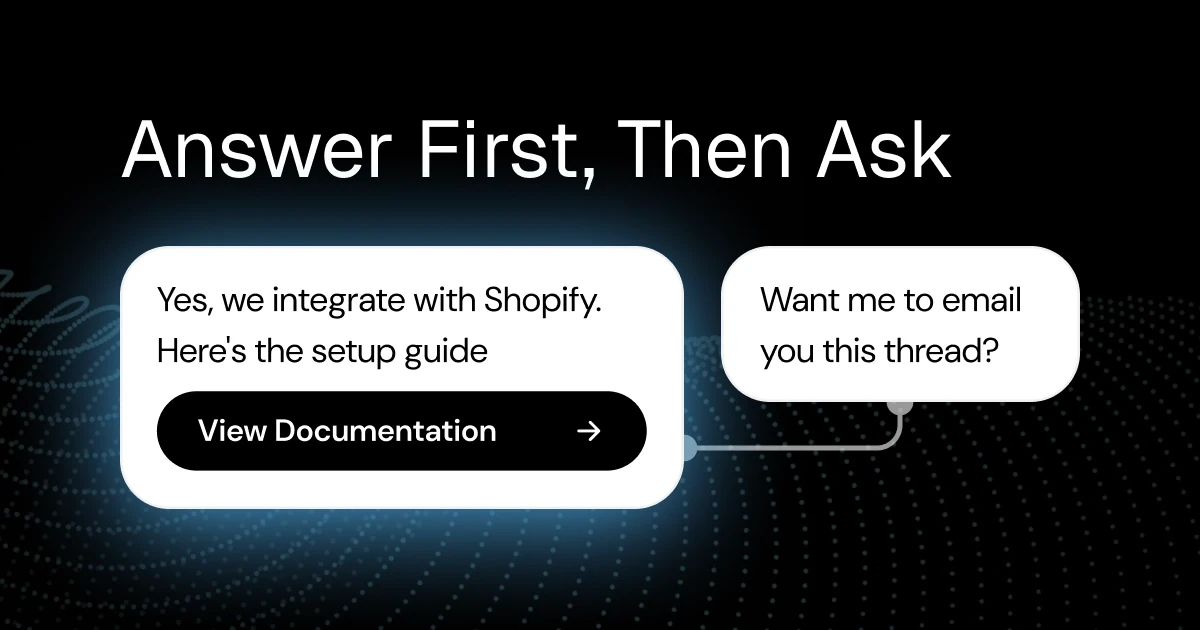
Flip the order. Answer the question fully, then ask: "Want me to send you this thread?" or "Should someone follow up about the migration?" After a genuinely useful answer the ask feels natural, and the yes rate reflects real interest instead of hostage compliance. You will capture fewer emails than a hard gate and dramatically more emails worth having. Timing and restraint patterns are in lead generation chatbots.
How to check: a visitor can get a complete, useful answer while giving you nothing. If they cannot, you have built a form that types.
Tone and writing
Bots read like their instructions. This group is about writing the instructions on purpose.
12. Short answers, real links
Language models default to thorough, and thorough is the wrong register for chat. Three sentences and the actual link beat five paragraphs that paraphrase the page. Put a length cap in the bot's instructions and mean it.
The links matter more than the prose. A model left unsupervised will happily produce a plausible-looking URL that does not exist, which in support is a small disaster: the visitor clicks, lands on a 404, and now doubts everything the bot said before it. The fix is structural, not stylistic. The bot should only share links that exist in your indexed content, enforced by the system rather than requested in the prompt. Ask any vendor how they handle this; the answer tells you a lot.
Formatting is part of length discipline too. Chat is a narrow column: short sentences, at most one list, no nested anything. If an answer genuinely needs three sections and a table, the correct answer is a link to the page that has them.
How to check: collect the links your bot shared this week and click each one. Every 404 is this rule failing.
13. Put your brand voice in the instructions, not in your hopes
"Friendly but professional" produces nothing. It is what every bot already believes about itself. Voice comes from concrete rules: no exclamation marks, never open with "I apologize for the inconvenience", call it a "plan" and never a "subscription", one apology per conversation at most.
The cheapest source of these rules is your best support person. Steal their phrasing. If your team has canned responses people actually like, the wording in them is your voice guide, already written and already tested on customers.
How to check: show five recent bot answers to whoever cares most about your brand. The verdict you want is "sounds like us on a good day".
14. Answer in the visitor's language
Visitors write in whatever language they think in. A bot that detects the language and answers in kind removes a barrier your team probably could not afford to remove any other way. Availability aside, this is one of the few places where the bot beats a small human team outright.
There is a tradeoff to manage honestly: if your humans work only in English, the handoff moment needs to say so, otherwise the bot's fluency writes a check your team cannot cash. "Our team replies in English" said upfront beats a surprise mid-escalation.
How to check: have a teammate ask a returns question in a language they actually speak. Judge the answer, then check what the handoff promises.
Running it
Launch is the halfway point. These three rules separate bots that improve from bots that fossilize.
15. Read transcripts weekly
Twenty minutes, once a week, reading real conversations. This is the highest-yield ritual on this entire list, and my honest opinion is that it matters more than any setup decision above it.
You are reading for four things: questions the bot had no source for (that is your content to-do list), visitors rephrasing the same question (retrieval is missing something), conversations that end abruptly mid-flow (rage quits), and topics you never expected (new demand shows up in chat before it shows up anywhere else). One pass usually produces two or three concrete fixes, which is a better hit rate than most planning meetings.
Read whole conversations, not a sample of bot answers. An answer can be perfectly correct while the conversation around it fails: the right answer to the wrong question, or the correct policy quoted to someone who clearly needed an exception.
How to check: there is a recurring block in your calendar, and last week's pass produced at least one change you shipped.
16. Turn bad answers into corrections the same day
A wrong answer you noticed and did not fix is a wrong answer scheduled to repeat. Question distributions are stable; the same question comes back tomorrow. That stability is the entire reason bots work, and it cuts both ways.
So close the loop fast. When a visitor thumbs-downs an answer, or your weekly read surfaces a bad one, write the correction now: fix the source page, add the missing Q&A pair, tighten the instruction. In our product a flagged answer becomes a stored correction in a couple of clicks, but the tool matters less than the habit. Same day, because a correction backlog is where corrections go to die.
How to check: measure the time from spotting a wrong answer to shipping its fix. Same day is the standard. A running backlog means it is not happening.
17. Keep knowledge fresh on a schedule, not on guilt
Your content drifts. Prices change, policies get quiet edits, features ship, and every change turns an indexed page into a small landmine. The guilt-driven update cycle, where someone remembers to re-sync after the bot quotes an old price, means you always find out from a customer.
Put it on a schedule instead: re-crawl weekly for most businesses, daily if your catalog moves fast. Done well this is cheap, because a refresh can hash each page and skip everything unchanged, so a hundred-page site with three edits reprocesses three pages. Our Growth and Scale plans run this automatically, but however you arrange it, freshness should not depend on anyone's memory.
How to check: you can say when the last refresh ran without asking anyone, and the answer is a schedule, not a story.
Start with five
Seventeen rules is a lot to hold, so do not start with seventeen. Start with five: mine your top questions (rule 1), say it's a bot (5), write the welcome message (7), make the fallback honest (9), and book the weekly transcript read (15). That set gets you a launch you will not regret. The rest are improvements you make while the bot earns its keep.
If the whole list has one pattern behind it, it is this: treat the bot as something your company says, not something your company installed. Every rule above falls out of taking that seriously.
We built Hey Support so most of these rules are defaults instead of projects (grounded answers with citations, honest refusals, handoff built in), and the free plan's 50 conversations a month are enough to run this checklist against real traffic before you pay anything.