Most chatbot welcome messages fail in the first five words. "Hi there! How can I help you today?" tells the visitor nothing: not that they're talking to a bot, not what it knows, not what happens if it can't help. I've watched hundreds of real widget conversations, and the pattern is blunt. When the opener is vague, people close the widget without typing a word. So here are 25 chatbot welcome message examples grouped by use case, each with a note on why it earns the visitor's first message. Every example is original, written for an invented business (a plant shop, a bookkeeping firm, a gym), so steal what fits and rewrite it in your own voice.
What a welcome message has to do
One screen, four jobs.
Say it's a bot. Not as a legal footnote, as a courtesy. People type differently when they know they're talking to software, and they forgive a wrong answer from a disclosed bot far more readily than from a fake human.
Set the scope. "I can help with orders, returns, and sizing" beats "I can help" because it doubles as a menu. Scope is also a quiet promise about what the bot won't attempt, and that is where trust starts.
Offer an escape hatch. Keep a visible path to a person, even if the path is "leave your email and a human replies tomorrow." The visitors who need the hatch most are the least likely to ask for it politely.
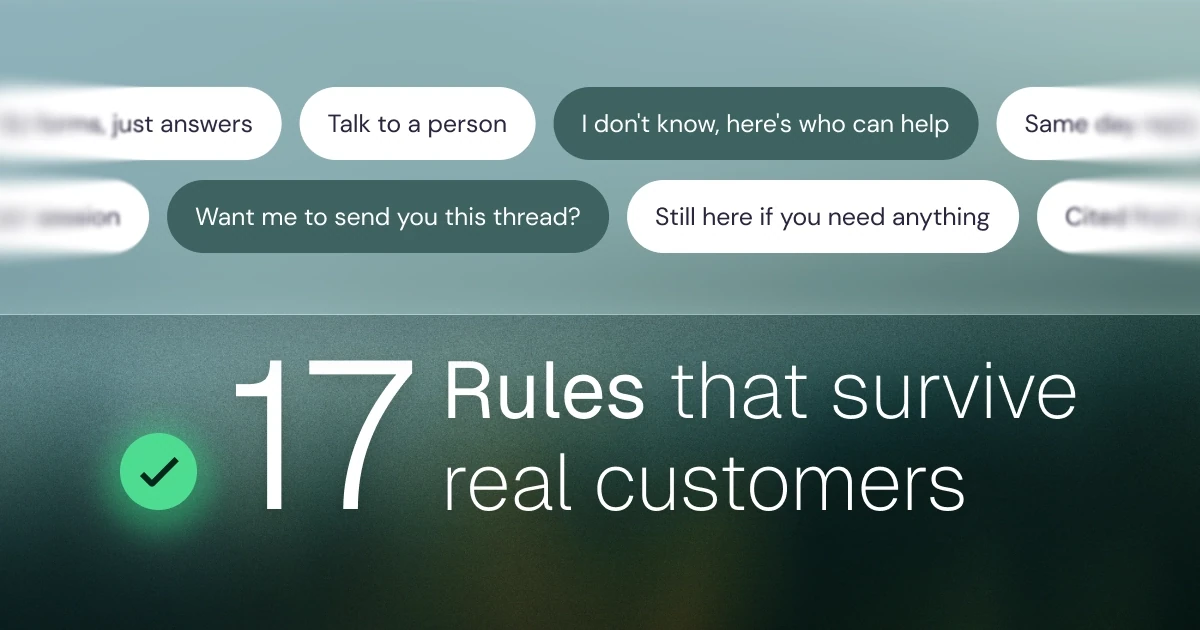
Invite the first question. End on one specific question, or let quick-question chips do the inviting. An opener that ends with a period reads like a plaque on a wall. Getting this right is the cheapest of the 17 rules in our chatbot best practices.
Four rules before you write yours
Keep it to two lines. Your message competes with the page the visitor came to read. Longer greetings get skimmed as one gray blob, and the detail you packed into line four is exactly what gets skipped.
Be honest. No invented human names, no stock-photo avatars, no fake "Emma is typing" delay. The theater fools nobody twice, and the second time is usually when they would have bought.
One question max. "What's your name? And your email? And what brings you here?" is an interrogation wearing a smile. Ask one thing or ask nothing.
Match the page. The right message for your pricing page is the wrong one for your docs, and both are wrong at checkout. There is a tradeoff here: per-page messages are one more thing to maintain, and one honest sitewide opener beats five stale ones. Start sitewide, then specialize your two busiest pages.
The 25 examples
The message sits in the quote, the reason it works follows, and every business is invented.
Ecommerce (examples 1 to 5)
Example 1: a plant shop.
Hi, I'm this shop's plant bot. Care questions, shipping times, and what survives a dark apartment: ask me. Type "human" anytime to reach the owner.
The scope line sounds like the shop's actual inbox, and the escape hatch costs four words.
Example 2: a skincare brand.
I'm an automated assistant. I can check where your order is, explain returns, or answer ingredient questions. What do you need?
It leads with order status, which is the question most likely on the visitor's mind anyway.
Example 3: a running shoe store.
Sizing question? I've read every size chart on this site so you don't have to. I'm a bot, and I'll wave in a human if I get stuck.
It names the visitor's real worry (fit) and admits fallibility, which reads as confidence, not weakness.
Example 4: a furniture store.
I'm the store's answer bot. Delivery costs, lead times, returns: that's my whole job. Ask away.
"That's my whole job" does more scope-setting than a paragraph of capabilities would.
Example 5: a pet supply store with subscriptions.
Questions about a subscription, an order, or a fussy eater? I'm a bot working from our published guides, and a person is one tap away.
"Working from our published guides" quietly says where answers come from, which is the honest way to sound competent.
SaaS (examples 6 to 9)
Example 6: a project management tool, shown in the docs.
I'm a bot trained on these docs. Ask how anything works and I'll answer with a link to the exact page.
Docs visitors want receipts. Promising the link up front is the entire pitch.
Example 7: an invoicing app.
Hi, I'm an AI assistant. Setup, billing, integrations: ask me anything in those lanes. If I don't know, I'll say so and get you a human.
"If I don't know, I'll say so" builds more trust than any greeting could. It's also a bar the bot then has to clear.
Example 8: an HR platform, for trial users.
Stuck on setup? I know the help docs cold. Ask me, or leave your email and the team will walk you through it properly.
The email option is framed as an upgrade, not a toll booth.
Example 9: an email delivery tool.
I'm this product's answer bot. DNS records, deliverability, bounces: the boring stuff is my favorite stuff. What are you setting up?
A little personality without pretending to be a person, and the closing question assumes work is already underway. For trial users, it is.
Services and local businesses (examples 10 to 13)
Example 10: a bookkeeping firm.
I'm an automated assistant for the firm. I can explain services and pricing, or take your details for a callback from a real accountant. Which would help?
Services visitors want two things: information now and a human later. This sets up both without pushing either.
Example 11: a gym.
Hi, I'm the gym's bot. Class times, membership options, and the cancellation policy nobody reads: ask me. The front desk answers 6am to 8pm if you'd rather call.
The human alternative comes with actual hours, which is more useful than a contact link and more honest than pretending the bot is the only door.
Example 12: a hair salon.
Prices, opening hours, or "can you fix what another salon did": I'm a bot and I can answer all three. Want to see open slots?
Specific, a little dry, and it moves straight toward booking, which is the only conversion a salon cares about.
Example 13: a plumbing company.
I'm an automated assistant. If water is going somewhere it shouldn't, call the number at the top of this page now. For quotes and other questions, I'm faster than email.
Triage first. A bot that knows when it should not be used is a bot people will actually use.
Booking-led businesses (examples 14 to 16)
Example 14: a dental clinic.
Hi, I'm the clinic's booking bot. I can find you an appointment, answer insurance questions, or move an existing visit. Which one?
Three verbs, all real capabilities, one question. Nothing about a passion for smiles.
Example 15: a boutique hotel.
I'm a bot, and I know the room types, rates, and the parking situation by heart. Checking dates for a stay?
"The parking situation" signals it was written by someone who has answered the real questions, which is exactly who should write it.
Example 16: a kayak tour operator.
Wondering about times, what to bring, or whether kids can come? I'm automated, I answer instantly, and booking takes about two minutes.
It answers the top three pre-booking hesitations before they're typed, and "two minutes" removes the last one.
B2B lead generation (examples 17 to 19)
If capture is the goal, the opener should say so. The polite mechanics live in our post on lead generation chatbots; these three set it up honestly.
Example 17: a design agency.
I'm the studio's bot. Ask about services, process, or budgets, and if it sounds like a fit I'll offer to set up a call. No forms.
Declaring the capture move up front means the later ask lands as a promise kept, not a bait and switch.
Example 18: a wholesale packaging supplier.
I can answer spec and lead-time questions on the spot. I'm a bot; for volume pricing, I'll take your details and a person will quote you properly.
It splits self-serve from sales cleanly, so buyers know which side of the line their question sits on.
Example 19: a compliance software vendor.
I'm a bot trained on everything public on this site. Ask the awkward questions, pricing included. I'll only ask for your email if you want a follow-up.
"Ask the awkward questions" invites the comparison shopping that is happening anyway, on your site instead of somewhere else.
After-hours (examples 20 and 21)
Example 20: any business with office hours.
The team is offline until morning. I'm a bot and can handle most questions now; anything I can't, I'll pass along with your email so you're first in the queue.
It sets an expectation for the reply and makes leaving an email feel like queue-jumping rather than a gate.
Example 21: an online store, nights and weekends.
You've caught us outside office hours. I'm automated, I don't sleep, and the returns policy is the same at midnight. Ask away.
It acknowledges the hour with a straight face instead of pretending someone is there.
Returning visitors (examples 22 and 23)
Example 22: any site with saved conversations.
Welcome back. Want to pick up where you left off, or start something new?
Continuity is the entire point of a returning-visitor message. Two options, no recap, no re-introduction.
Example 23: a SaaS product, second visit in a week.
Good to see you again. Your last conversation is saved below if you need it. What's on the list today?
It skips introducing itself to someone who has already met it. A small thing, but it separates a designed widget from a configured one.
High-traffic pages like pricing (examples 24 and 25)
Example 24: a pricing page.
Pricing questions have short answers. I'm a bot and I know every plan and every limit on this page. Ask me the one that's stopping you.
A high-intent moment gets a specific offer. "The one that's stopping you" respects that the visitor is mid-decision, not browsing.
Example 25: a pricing page, for plan comparisons.
Comparing plans? Tell me roughly what your month looks like and I'll tell you which tier fits. A human can confirm anything before you commit.
It offers to do the visitor's math, which is what pricing-page conversations are actually for.
The anti-patterns
The scope lie. "Hi! I'm here to help with anything!" next to a wave emoji is the most common opener on the internet, and the least true. No bot helps with anything. The first out-of-scope question turns the greeting into false advertising, and the visitor remembers.
The instant email gate. Demanding an email before answering a single question turns a conversation into a form, and people opened the chat precisely because they didn't want the form.
The barrage. One greeting, pause, a second message, pause, a third with a discount code. By the third message you're not greeting anyone. You're following them around the shop.
Everything at once. Auto-open plus a notification sound plus a bouncing unread badge is three interruptions stacked on one visitor. Pick one way to say hello, at most.
How to test yours
Skip the wording debate and watch 20 real conversations. If people close the widget before typing, the opener is wrong. If their questions sit outside what the bot covers, the scope line is wrong. If anyone types "is this a real person," the honesty is wrong. Twenty transcripts settle these arguments faster than any meeting.
Then change one thing and watch the next 20. In Hey Support, the welcome screen is a stack of blocks (greeting, quick questions, announcements) you can rearrange without touching code, so this loop is a ten-minute habit rather than a sprint ticket. The rest of the widget features matter less than the loop does, though if you are curious why the widget around your message looks the way it does, Hampus wrote up the design decisions separately.
A welcome message is written once and read thousands of times, which makes it the highest-paid sentence you'll write this quarter. If you want to test yours on real traffic, Hey Support is free for 50 conversations a month, and that's enough to find out.