Message WooCommerce customers on your WhatsApp number as their order is confirmed and shipped, and answer when they reply.
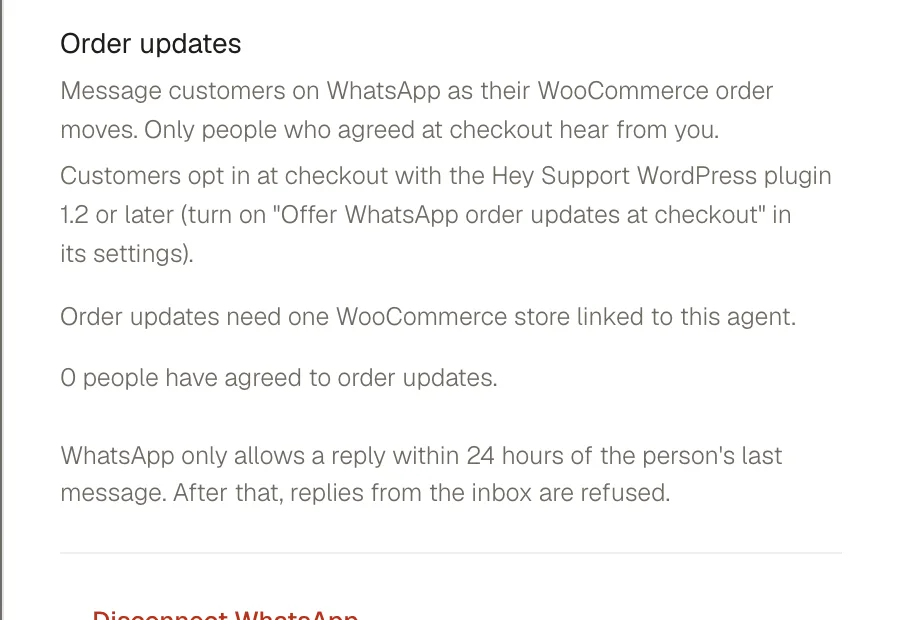
Order updates are being rolled out gradually and are not yet available to every workspace. Where they are on, the agent messages customers on your WhatsApp number as their WooCommerce order moves, and answers their replies.
Before you start
- A connected WhatsApp number. See WhatsApp.
- One WooCommerce store linked to the agent. See WooCommerce.
- Version 2.1.0 or newer of the Hey Support WordPress plugin on that store.
They are available on Growth and above, only an owner can change them, and a store can send updates from one agent at a time.
What it sends
Open the agent's Deploy page, then WhatsApp. Order updates has one switch per message.
| Message | When it goes out |
|---|---|
| Order confirmed | You have the customer's order. |
| Order shipped | On its way, with the tracking link when there is one. If your store marks orders Completed when they ship, tick We mark orders Completed when they ship and it goes out then too. |
| Cash on delivery confirmation | Asks a cash on delivery customer to confirm or cancel with a button. Sent instead of Order confirmed while it is on. |
When you switch a message on, we submit it to Meta for review in your agent's language (English or Hindi, otherwise English). The row reads In review until Meta approves it, then Ready; nothing is sent before that.
Only orders placed after a switch goes on get it; switching it off stops new sends straight away.
Who gets a message
Only customers who agreed at checkout. In the plugin's settings (Settings, Hey Support in WordPress) turn on Offer WhatsApp order updates at checkout, which is off until you do. The plugin then adds an unticked box, "Send me order updates on WhatsApp", to your checkout. An order without a ticked box, or without a phone number we can read with confidence, gets nothing.
The section counts who has agreed, and how many orders this month had no consent.
A customer can reply STOP, or tap Stop updates on any message; updates stop at once and the agent confirms in one sentence. Each customer gets at most 3 update messages in 24 hours, and each message is sent once per order.
When the customer replies
The reply lands in the same conversation in your Inbox, and the agent answers from the order, for example "where is it?". It matches their WhatsApp number to the phone on the order, so it does not ask for an email. A delivery address change needs the order to be the one we messaged them about; otherwise it asks for the order's email first.
If a cash on delivery customer taps Cancel, the agent adds a note to the order, tags the conversation "Cancel requested" and asks your team to follow up. It never cancels the order itself.
Meta charges for each delivered update message at its own rates. Hey Support adds no fee. See Meta's pricing.